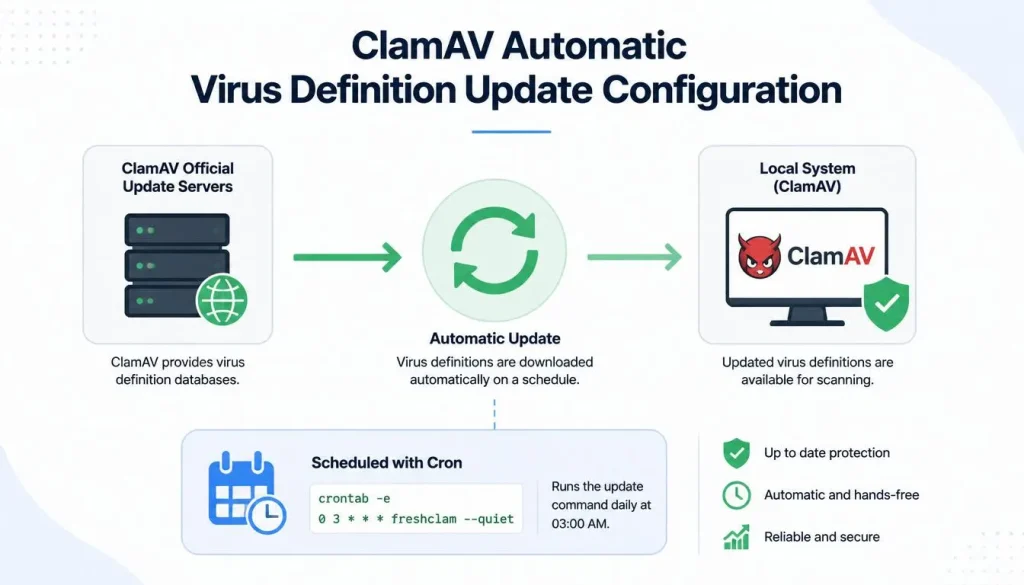
Security is one of the most important aspects of managing a WordPress website. Server-side antivirus solutions such as ClamAV are widely used to detect malware, infected files, and malicious scripts. However, the effectiveness of ClamAV depends heavily on keeping its virus definitions up to date. In this guide, we will explain how to configure automatic virus definition updates for ClamAV in an SEO-friendly and practical way.
What is ClamAV and Why It Matters?
ClamAV is an open-source antivirus engine designed to detect trojans, viruses, malware, and other malicious threats. It is commonly used on Linux-based servers, especially for hosting WordPress websites.
Key benefits of ClamAV:
- Free and open-source security solution
- Server-side scanning capability
- Email and file system protection
- Frequent database updates for emerging threats
Without regular updates, ClamAV loses its effectiveness, making automatic updates essential.
How ClamAV Virus Definitions Are Updated
ClamAV uses a built-in update tool called freshclam, which automatically downloads and installs the latest virus definition databases.
1. Check Freshclam Service Status
systemctl status clamav-freshclamIf it is not active, start it using:
systemctl start clamav-freshclam2. Configure Automatic Updates
The main configuration file is located at:
/etc/clamav/freshclam.confImportant settings include:
DatabaseMirror database.clamav.netChecks 12NotifyClamd yes
These settings ensure ClamAV checks for updates regularly and keeps its database current.
3. Cron Job Alternative for Auto Updates
If you prefer cron instead of the system service:
crontab -eAdd the following line:
0 */3 * * * freshclam --quietThis schedules updates every 3 hours.
4. Checking Update Logs
You can verify update activity using:
/var/log/clamav/freshclam.logThis log file helps you monitor successful updates and troubleshoot errors.
ClamAV in WordPress Hosting Environments
In WordPress hosting environments, ClamAV is commonly used for:
- Malware scanning of uploaded files
- Detecting infected themes and plugins
- Email filtering
- Server-side security monitoring
It is especially useful for shared hosting and VPS servers where security risks are higher.
SEO Importance of Using ClamAV
Website security directly impacts SEO performance. Google may demote or blacklist websites infected with malware.
Benefits of using ClamAV for SEO:
- Improved website security signals
- Reduced risk of blacklisting
- Better indexing reliability
- Increased user trust
Meta Description (SEO)
Configure ClamAV automatic virus definition updates on WordPress servers. Learn freshclam setup, cron automation, and security optimization for better SEO and malware protection.
Conclusion
Keeping ClamAV virus definitions automatically updated is essential for maintaining strong server security on WordPress environments. Using freshclam or cron jobs ensures your system is always protected against the latest threats. Proper configuration and log monitoring help maximize efficiency and reliability. From an SEO perspective, a secure website improves rankings, user trust, and long-term visibility.