Introduction
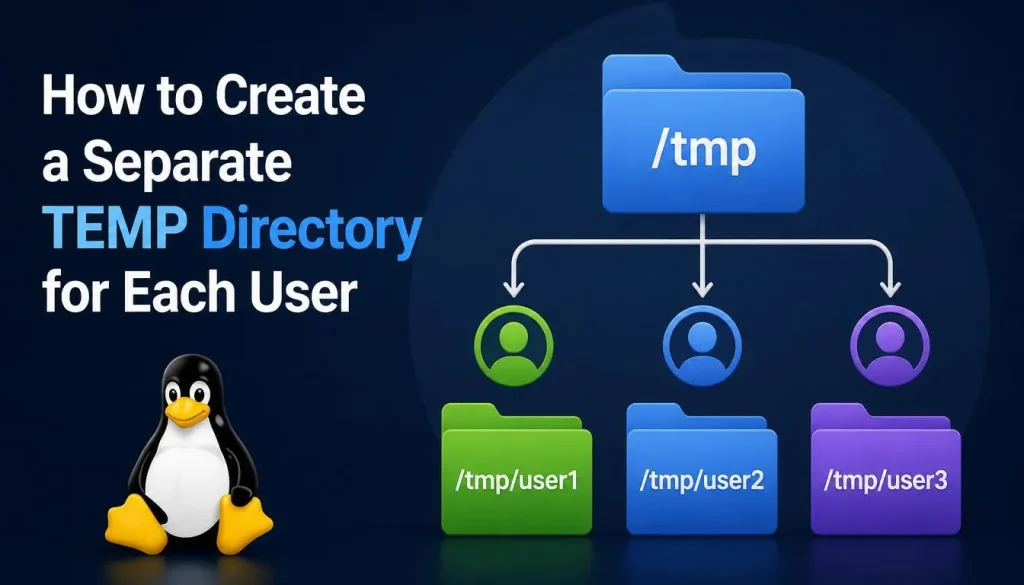
Linux systems typically use the global /tmp directory for storing temporary files. While this works well for single-user systems, it can create security, management, and performance challenges on multi-user servers.
On RHEL-based distributions such as Red Hat Enterprise Linux (RHEL), AlmaLinux, Rocky Linux, Oracle Linux, and CentOS Stream, assigning a dedicated TEMP directory to each user is a best practice that improves security and system organization.
In this guide, you’ll learn how to create user-specific TEMP directories, configure environment variables, and automatically clean temporary files when users log out.
Why Use a Separate TEMP Directory for Each User?
By default, many applications store temporary files in:
/tmp
On systems with multiple users, sharing the same temporary directory can lead to:
- File ownership conflicts
- Security concerns
- Disk space abuse
- Difficult troubleshooting
- Application collisions
- Accidental access to temporary files created by other users
A better approach is to provide each user with a dedicated temporary directory.
Example:
/home/user1/tmp
/home/user2/tmp
/home/user3/tmp
Understanding TEMP Environment Variables
Linux applications commonly use the following environment variables to determine where temporary files should be stored:
TMPDIR
TEMP
TMP
You can check their current values with:
echo $TMPDIR
echo $TEMP
echo $TMP
If no values are defined, most applications fall back to using /tmp.
Creating a Dedicated TEMP Directory for a User
Let’s create a private TEMP directory for a user named john.
Create the directory:
mkdir -p /home/john/tmp
Assign ownership:
chown john:john /home/john/tmp
Set secure permissions:
chmod 700 /home/john/tmp
Permission mode 700 ensures that only the owner can access the directory.
Configure TMPDIR for a Specific User
Edit the user’s shell configuration file:
nano /home/john/.bashrc
Add the following lines at the end:
export TMPDIR=/home/john/tmp
export TEMP=/home/john/tmp
export TMP=/home/john/tmp
Save the file and reload the shell:
source ~/.bashrc
Or simply log out and log back in.
Automatically Create TEMP Directories for All Users
On enterprise Linux servers, manually configuring each user is impractical. Instead, you can use a global profile script.
Create a new profile file:
sudo nano /etc/profile.d/user-temp.sh
Add the following content:
export TMPDIR=$HOME/tmp
export TEMP=$HOME/tmp
export TMP=$HOME/tmp

if [ ! -d "$HOME/tmp" ]; then
    mkdir -p "$HOME/tmp"
    chmod 700 "$HOME/tmp"
fi
Make the script executable:
sudo chmod +x /etc/profile.d/user-temp.sh
Now every user who logs in will automatically use a private TEMP directory inside their home folder.
Testing the Configuration
After logging in again, verify the settings:
echo $TMPDIR
Expected output:
/home/john/tmp
Create a test file:
touch $TMPDIR/test.tmp
Verify it exists:
ls -l $TMPDIR
Security Benefits
User-specific TEMP directories offer several advantages:
- Better user isolation
- Reduced risk of unauthorized access
- Easier troubleshooting
- Cleaner file management
- Improved application stability
- Better compliance with security policies
This approach is especially useful on shared Linux servers, jump hosts, terminal servers, and development environments.
Automatically Clean the TEMP Directory on Logout
Over time, temporary files can consume significant disk space. One effective solution is to remove temporary files whenever a user logs out.
Linux provides the .bash_logout file, which executes automatically when a user ends a shell session.
Edit or create the logout script:
nano ~/.bash_logout
Add the following command:
rm -rf ~/tmp/*
Save the file.
Now, whenever the user logs out, all files inside the TEMP directory will be automatically removed.
Safer Cleanup Methods
Some administrators prefer deleting only files while preserving the directory structure.
Example:
find ~/tmp -type f -delete
Or remove everything except the directory itself:
find ~/tmp -mindepth 1 -delete
These approaches help avoid accidental removal of the TEMP directory.
Using Systemd for Automatic Cleanup
Modern RHEL-based systems include systemd-tmpfiles, which can automatically clean temporary directories after a specified retention period.
Create a configuration file:
sudo nano /etc/tmpfiles.d/user-temp.conf
Add:
D /home/*/tmp 0700 root root 1d
This configuration removes files older than one day.
Apply cleanup manually:
sudo systemd-tmpfiles --clean
You can also allow systemd to manage cleanup automatically through scheduled maintenance tasks.
Best Practices
When implementing user-specific TEMP directories:
- Use restrictive permissions (
700) - Avoid storing important files in TEMP locations
- Monitor disk usage regularly
- Automate cleanup procedures
- Use systemd-tmpfiles for long-term maintenance
- Test application compatibility before deployment
- Document TEMP directory policies for users
Conclusion
Creating a separate TEMP directory for each user on RHEL, AlmaLinux, Rocky Linux, Oracle Linux, and CentOS Stream improves security, organization, and system stability. By configuring TMPDIR, TEMP, and TMP variables, applications automatically use private temporary storage locations.
For even better maintenance, you can automatically clean these directories when users log out using .bash_logout, or implement retention policies with systemd-tmpfiles. This ensures a cleaner, more secure, and more manageable Linux environment.